

The following instructions pertain to an existing group. You can create a Connected Group + Site in one action. See How To Create A Connection Group + Site.
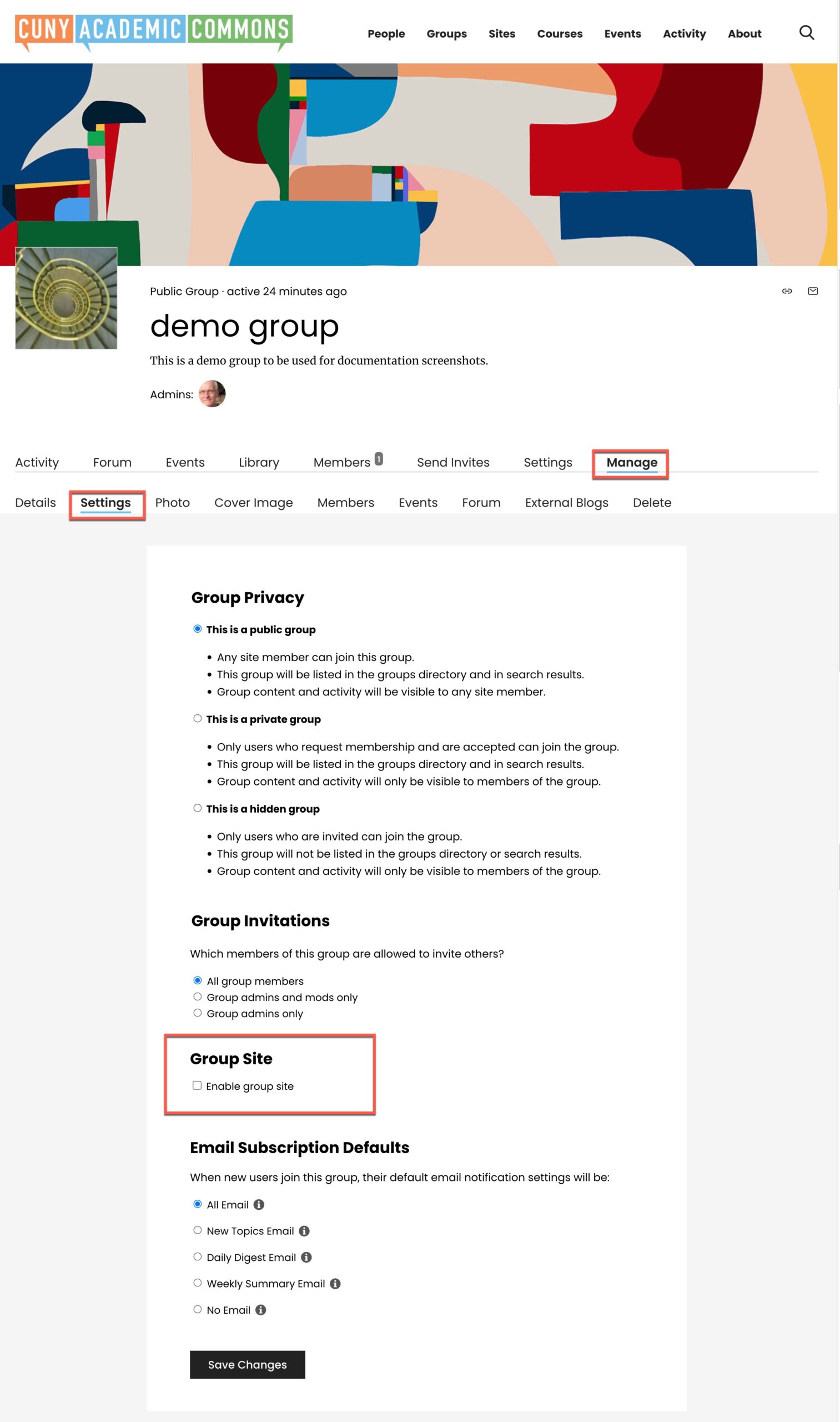
A group admin can connect one site (aka, a “website”) to a group. On the group home page, and click “Manage>>Settings” to display the group’s settings. Then click on “Group Site link. Check the checkbox “Enable Group Site”:
Decide to start a new site or connect an existing one to your group. Enable member posting if you want your group members to be authors on the blog. You will also be asked to set WordPress roles for administrators, moderators and members.

Click “Save Changes” and the “Site” link should now appear on the left navigation area of the group.
The URL is now confirmed, and you also have the option to uncouple the site whenever you want.

