

Before trying to access JetPack Stats, please ensure that you have activated the Jetpack plugin. Follow these directions – How to set up Jetpack.
Jetpack provides a condensed synopsis of your site’s readership, breaking analytics down using two easy to access tabs, “Traffic” and “Insight.”
Traffic
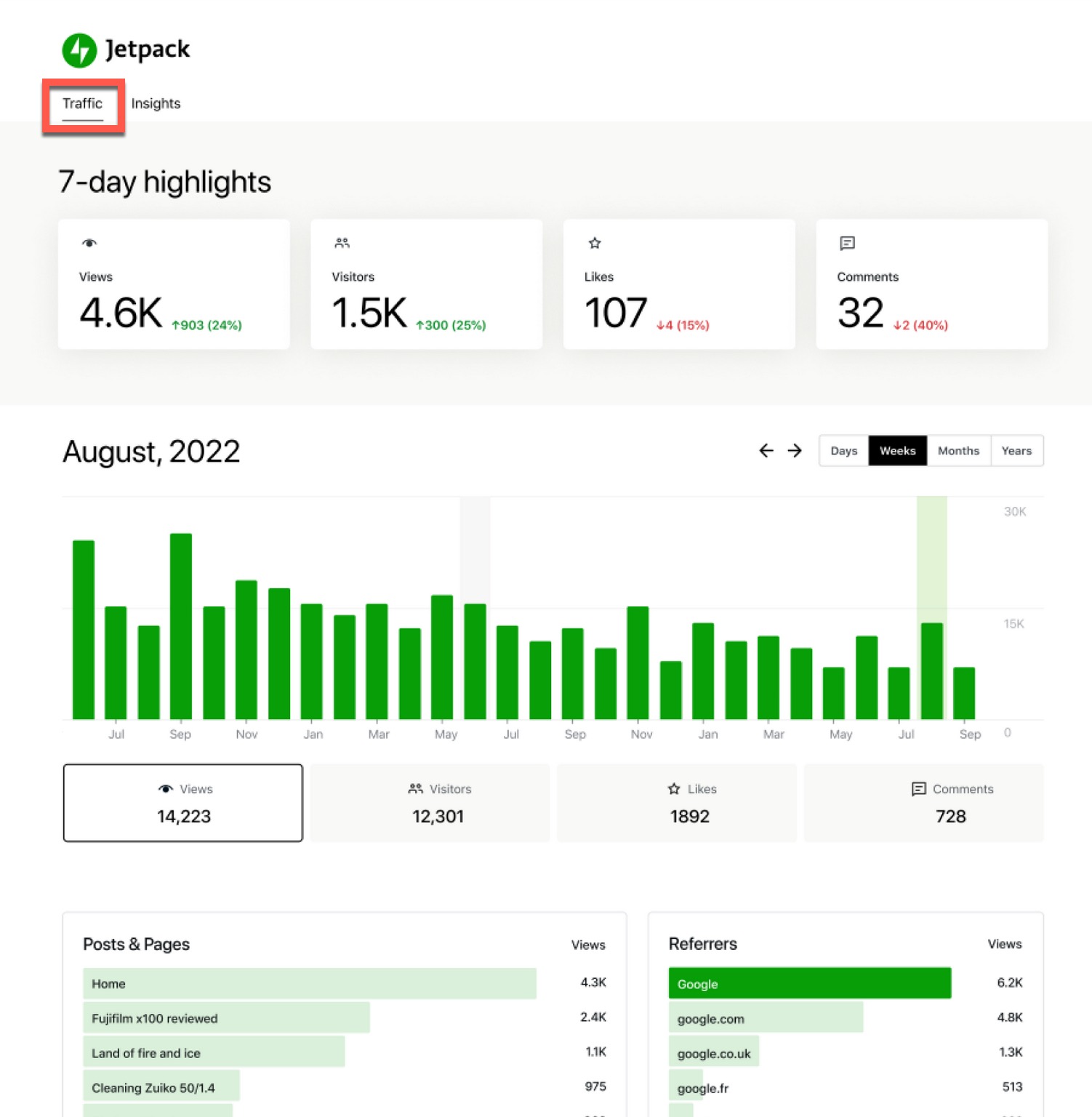
As can be seen in the screenshot below, Traffic provides a 7-day highlight of the number of Views, Visitors, Likes and Comments your site has attracted, as well as a comparison of the previous 7-day totals.
When you scroll down, you can see historical statistics, broken down by either Days, Weeks, Months or Years. If you scroll down further, you can see the most popular pages and posts, as well as the views by referrer. (A referrer is the website that the user was on before clicking into your site.)
Insights
The Insights tab displays more historical statistics, displaying sections such as “Year in Review,” “All Time Highlights,” “Posting Activity” and “All Time Insights.” See the following screenshots to get an idea of what Insights provides:
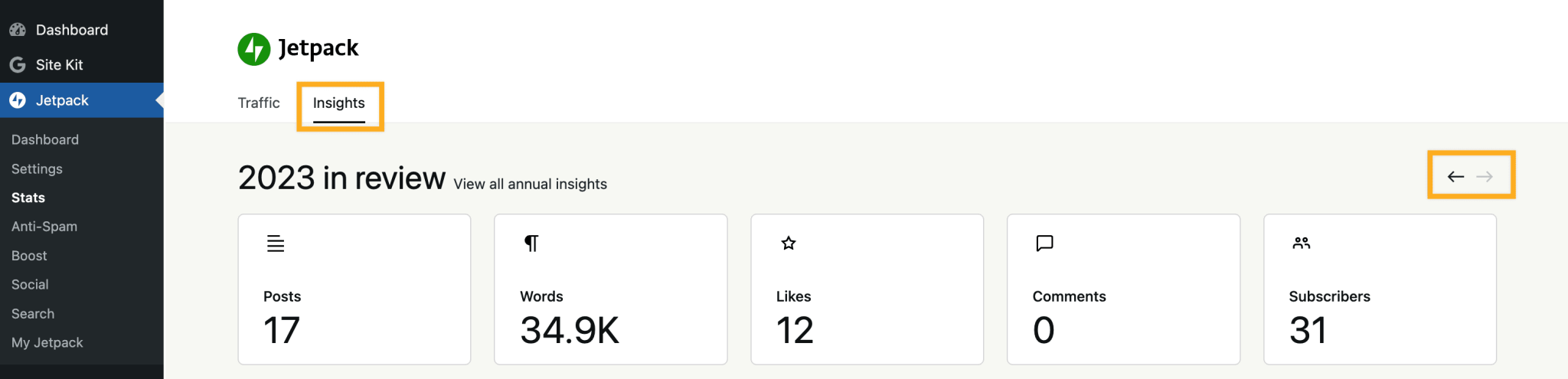
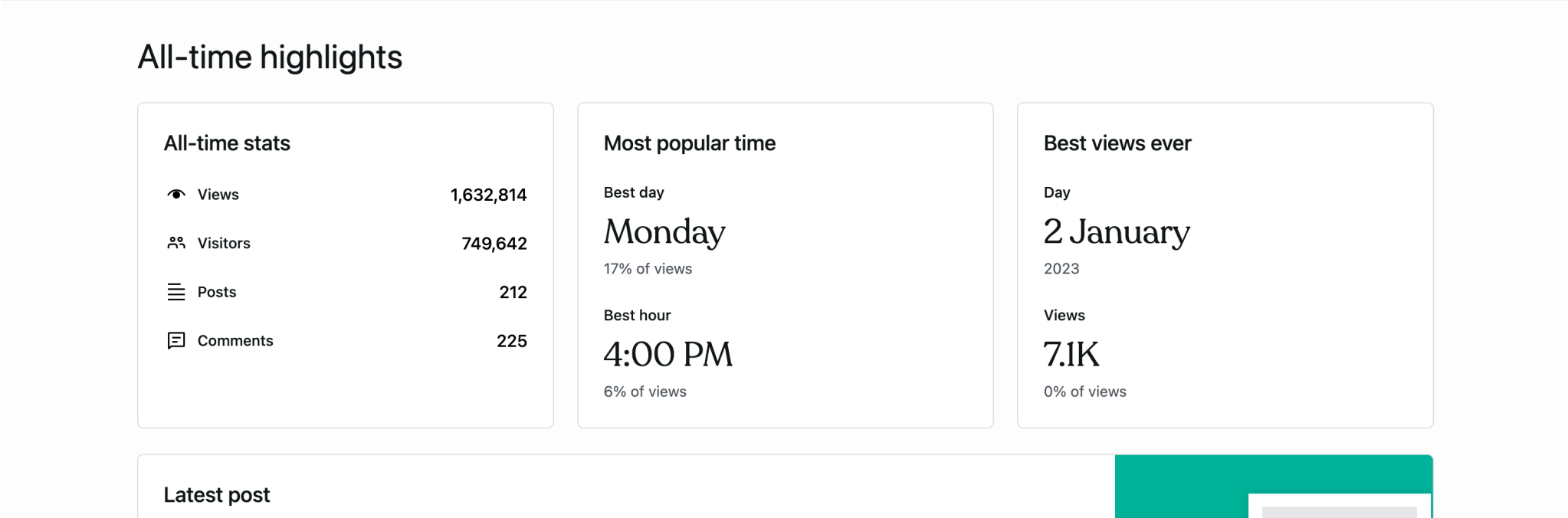

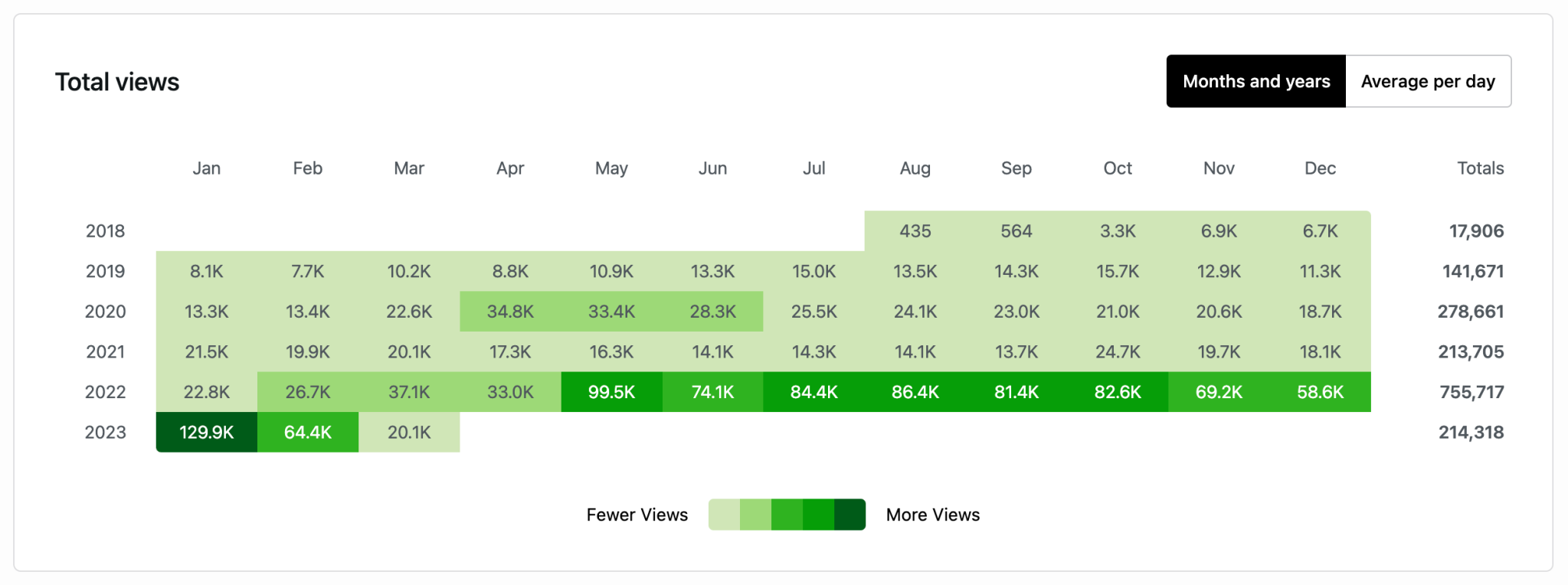
(Screenshots courtesy of JetPack documentation)

