

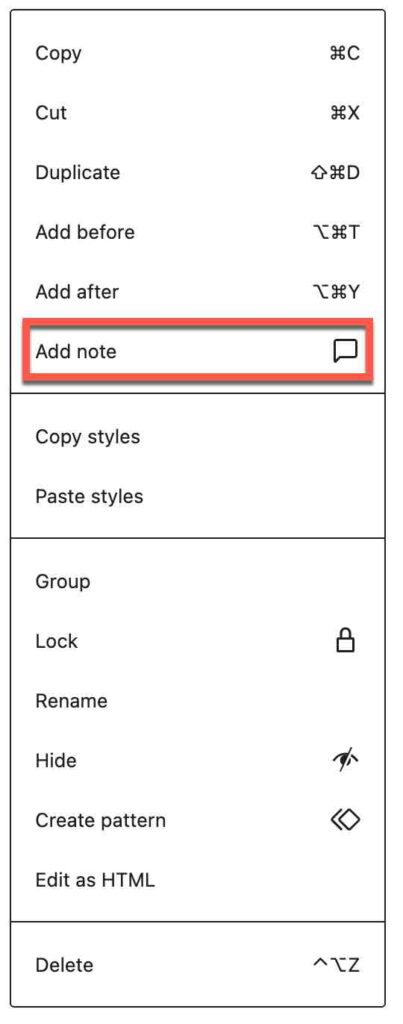
WordPress 6.9 added a new feature that may be of interest to Commons members who collaborate on sites and need to document, comment, or track changes to individual blocks on their sites.
To use this feature:
- Select a block in the WordPress editor – click on the block you want to annotate. This could be a paragraph, an image, or an embed block. Block notes work on all types of blocks.
- Click the three dots (⋮) icon that appears in the block’s toolbar.
- Click on the “Add note” option from the menu hi-lighted in the screenshot.
- Now a text box will appear where you can type your note or a comment on a previous note. Notes might indicate suggestions, format changes – basically anything your collaborators would like to annotate.
- Press Enter to save your block note.
Notes provide reply functionality that enables back-and-forth collaboration between editors of the page or post.
Notes can also document what the block is using to display its content, which and why styles are used, and possible ideas for improvement.

